
How do I know if I need a firmware update for my dosimeter ?
You may be seeing "synchronization error " or “Error in communication with device” alerts when trying to sync your dosimeter. To make sure your dosimeter is running the latest firmware and syncing smoothly, please follow the steps below to update it.
You can navigate to your Devices tab and verify the software version your dosimeter is currently listed on. The most current firmware should end on 2.0.21 as shown below.

Example of outdated firmware:

Steps-by -step instructions:
- 1.Log in to your mobile app using your credentials
- 2.Select the blue "start synchronization" button at the bottom of your screen
-
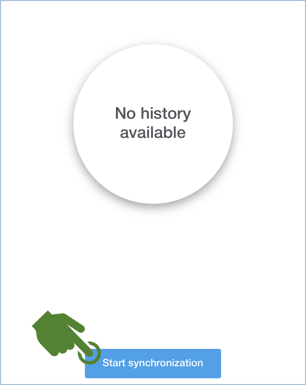
- 3.Hold the blue button on the back of your device for 3-5 seconds with medium to firm pressure

- 4.Solid blue light indicates the device is connected to Bluetooth
- 5.If you swipe to the left side on your app you will see "firmware update in progress". This should take between 3-4 minutes to be completed.
Note: Please note that it may take up to two minutes for the app to display the firmware update status. This can be affected by the strength of your cellular or Wi-Fi connection.
- 6.Once completed please sync your device again
- 7.Once both syncs have been completed your device should be updated to the latest firmware and the error will be cleared!😎