-
Log into MyRadCare
- Navigate to the 'Wearers' Tab
- Click the blue 'Add Wearers' button on the left hand side of the page
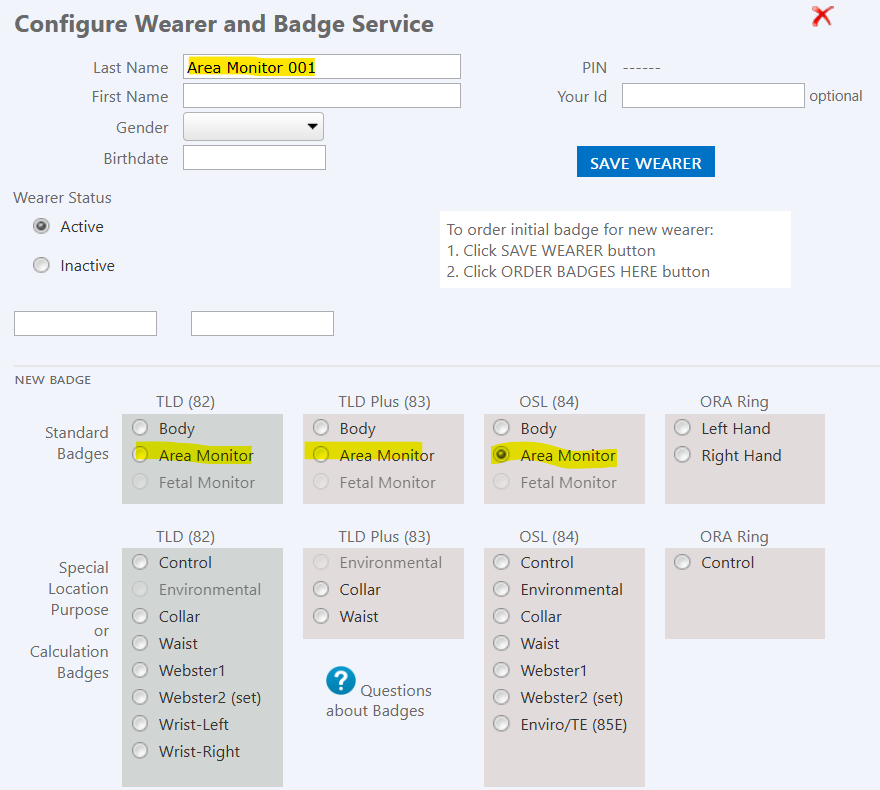
- Add the area monitor name to the 'Last Name' field.
- Locate your badge type (82 TLD, 83 TLD Plus, 84 OSL) and choose 'Area Monitor"
- Click the blue 'Save wearer' button