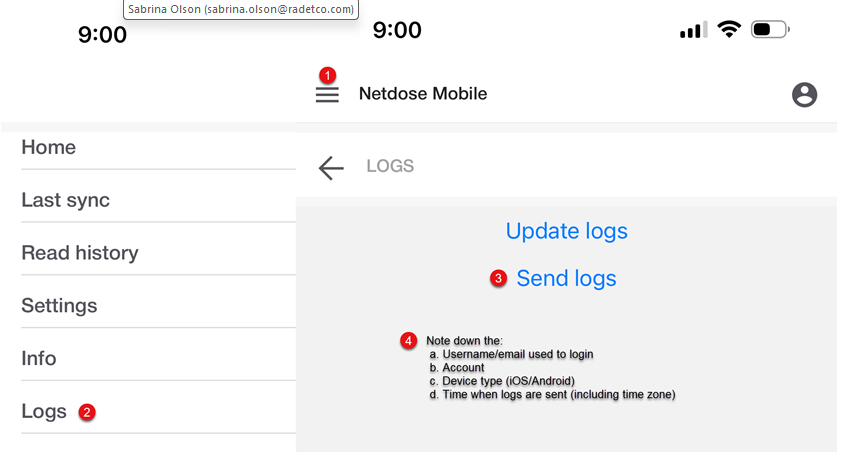
When logged into the app, tap the hamburger menu on the top-left and click "Logs" then "Send logs". Please share the time (including time zone) of when the user sends the logs to help track this with ThermoScientific
Pleas provide the following information to NetDose TechSupport dosimetrytechnicalsupport@thermofisher.com
- Phone model (Android/iPhone),
- OS version (Android 13, iOS 26.2, etc.)
- username
- device serial number,
- customer Account and account number
- time (including time zone) of when they pressed the send logs button